Description
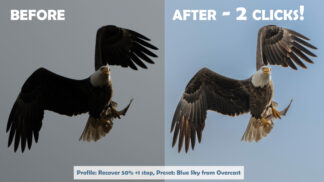
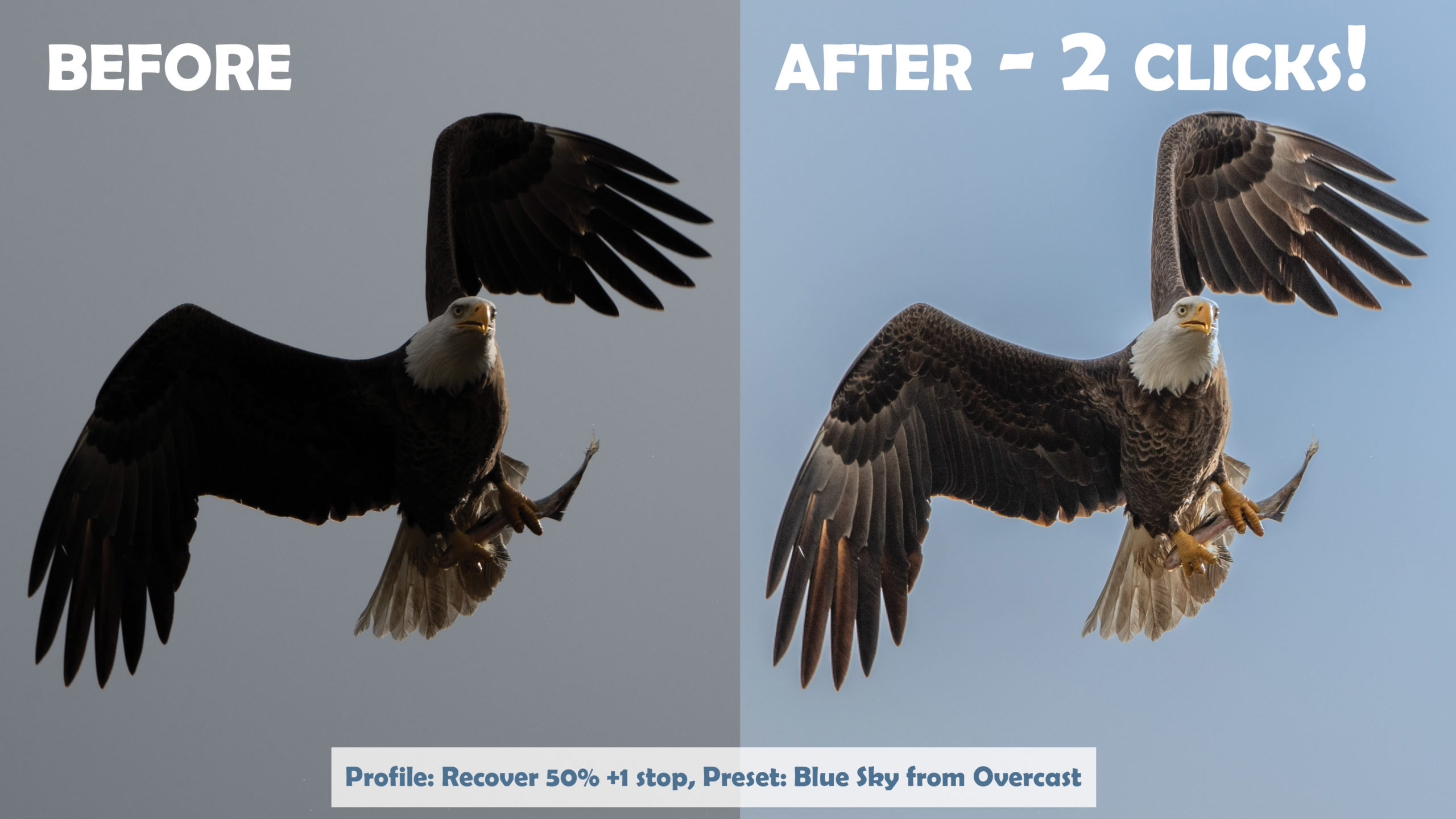
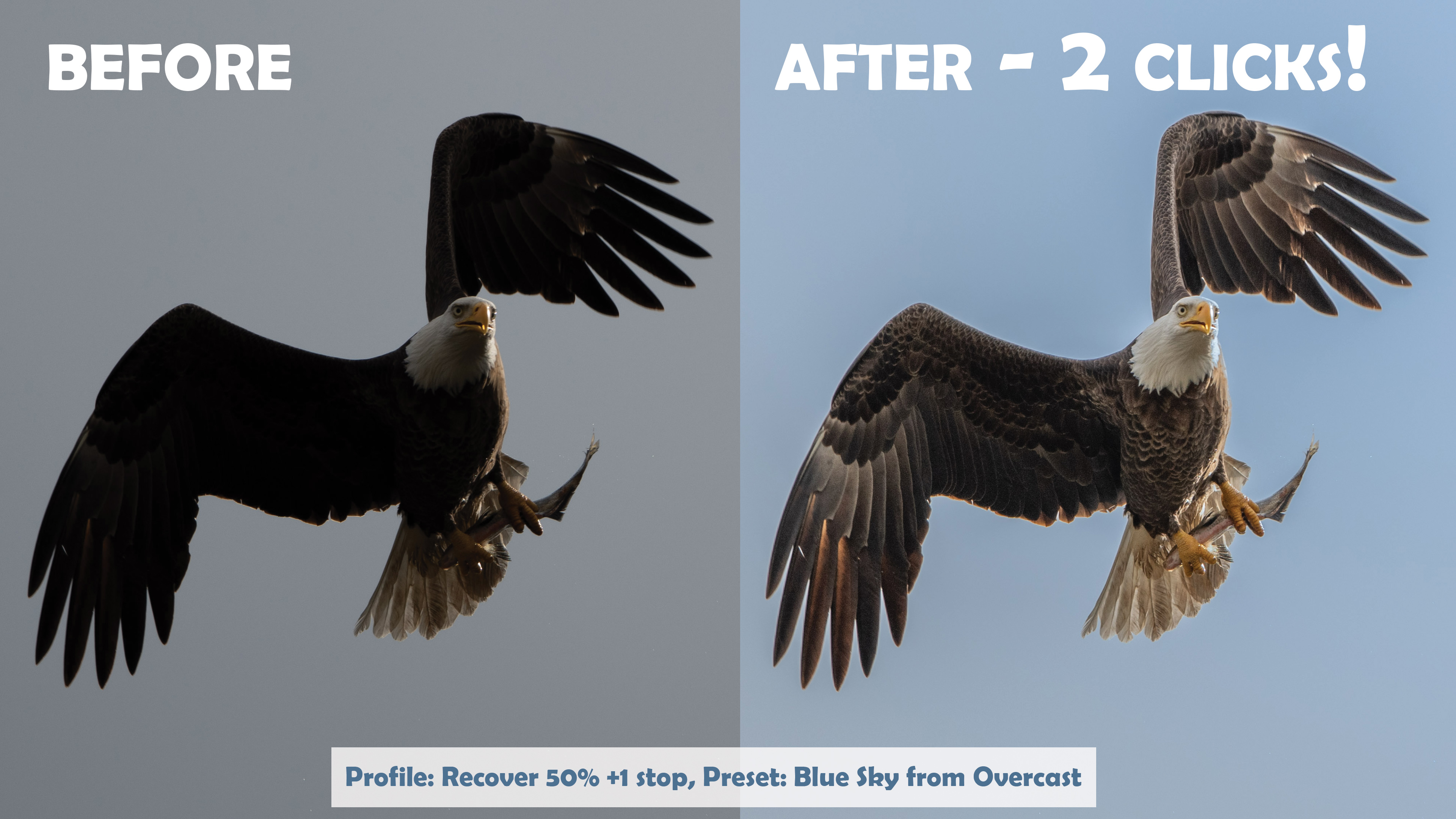
See the difference
Fix it in Lightroom, not Photoshop
Before-and-after examples. Click any photo to see it larger.


What’s inside
Profiles and presets for technical photographers
Get the most from your camera’s image quality, whether you shoot landscapes, wildlife or portraits.
Profiles
Exposure and dynamic range
- Fix raw exposure before you start editing
- Keep your sliders free, so any preset works without changing exposure
- Ideal for ISO-invariant shooting and exposing to the right
Presets
Perfect Skies
- Improve an existing blue sky in one click
- Even turn an overcast sky blue
- No masking in Photoshop
Presets
Smart Denoise
- Remove noise from blue skies
- Clean up blurry green backgrounds
- Made for landscape, wildlife and outdoor portrait photographers
Presets
Extreme Dynamic Range
- Reach more of your raw file’s dynamic range than Lightroom’s sliders allow
- Made for modern sensors and merged HDR photos
How it works
Three simple steps
-
1
Download
Check out and download the profiles and presets right away.
-
2
Import
In Lightroom Classic, choose File > Import Develop Profiles and Presets. In Lightroom, choose File > Import Profiles & Presets.
-
3
Click and fix
Apply a profile or preset, then fine-tune it to taste. The included video walks you through it.
FAQ
Questions, answered
Do they work with JPGs?
The presets do. The profiles need the extra dynamic range of a raw file, so they appear only when you’ve selected a raw photo.
Which versions of Lightroom do they work with?
Lightroom Classic and Lightroom. In Lightroom, presets you import on a computer sync to your other devices.
Looking for Chelsea’s Creative Presets?
They’re sold separately as Creative Presets, where you can also get both packs on an autographed SD card.
What if they’re not for me?
You’re covered by our 100% money-back guarantee. If you’re not happy for any reason, let us know and we’ll give you a full refund.
Fix skies, noise and dynamic range in Lightroom
Tony’s technical profiles and presets, with a how-to video and our money-back guarantee.